Guides & checklists · Guide · Part 4 of 4
Rebuilding your website? Map every old address first
A new website can quietly break every link that points at the old one. The check we ran before rebuilding a dental lab’s site, and how to run it on yours.
In brief
- Google, bookmarks and old emails still point at your old addresses. A new site can break all of them on launch day.
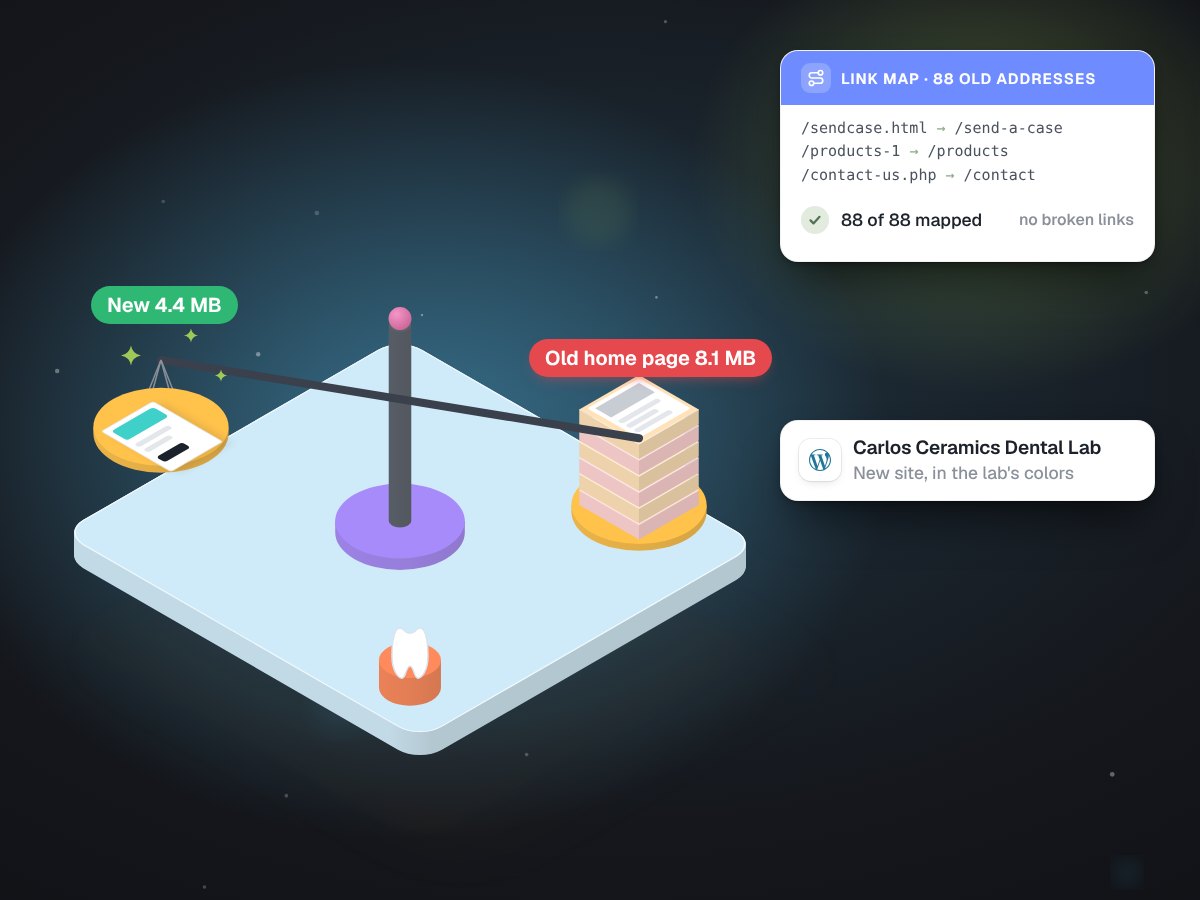
- Before rebuilding a dental lab’s site we listed all 88 old addresses and gave every one a new home.
- While you are at it, weigh your pages and read every field your forms collect.
When you replace a website, you think about the new design. Google does not. It remembers the old addresses: the page about your services, the contact page, the PDF price sheet from three years ago. So do your customers' bookmarks, the links in old emails and every directory that ever listed you.
Launch without a plan for those addresses and each one can lead to "page not found" on day one. You lose the visitors straight away, and over time you lose the place in search results those pages had earned.
What we found before rebuilding a lab's site
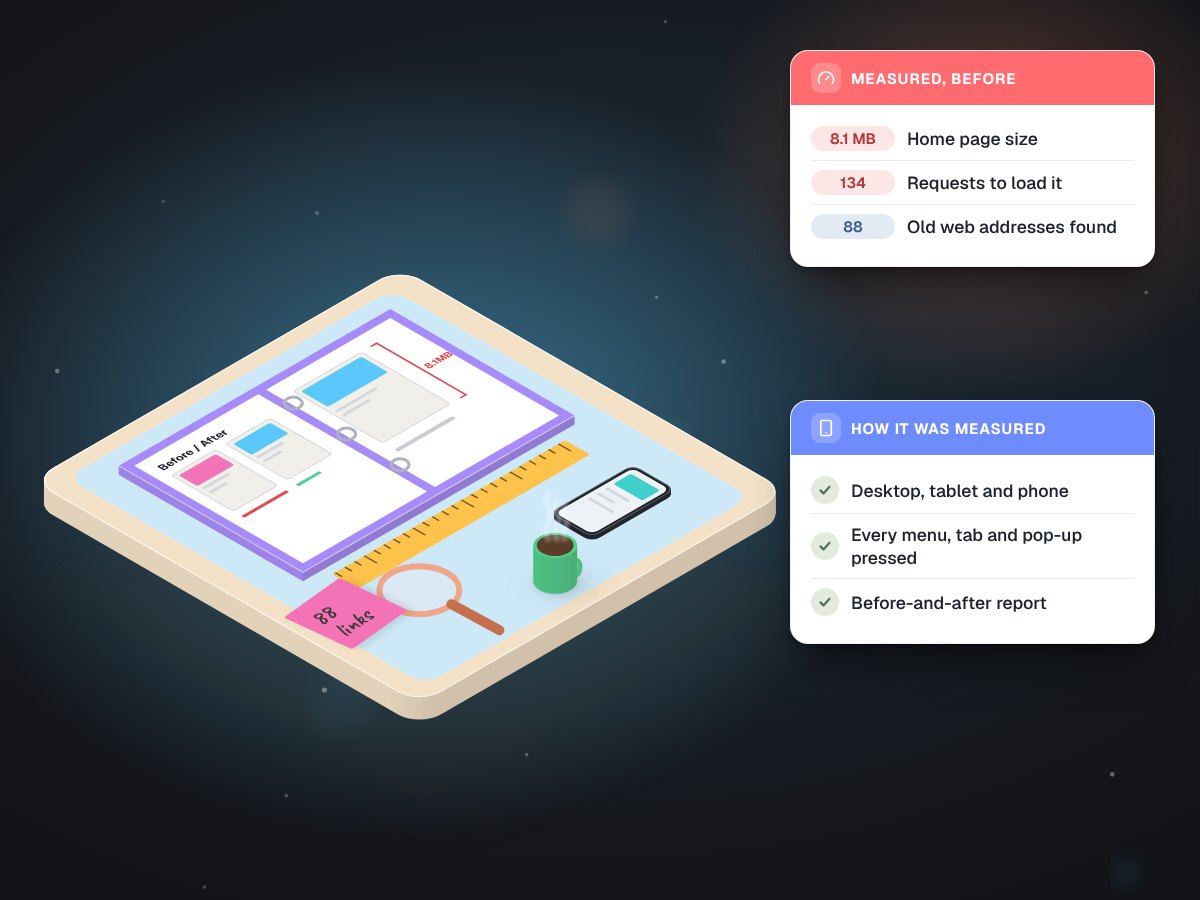
A dental lab asked us to rebuild its website. Before designing anything, we measured the old one with a read-only toolkit: every page found through the sitemap and the site's public content feed, every existing redirect followed to its end, every menu and tab pressed at desktop, tablet and phone widths, every image weighed, and every link checked. We compared it with eight other labs and wrote it up as a before-and-after report the owner could read.
Three findings mattered most. The home page weighed 8.1 MB, which is slow on a phone. Some forms asked for details a lab website should never collect. And the site answered at 88 different addresses, any of which someone might still be linking to.
The check, step by step
- List every address the old site answers. Crawl it, read its sitemap and pull the pages that get visits. Include old PDFs and pages nobody has touched in years.
- Write down what each does today. Shows a page, forwards somewhere, or errors. Existing forwards can form chains that break too.
- Give each one a new home. The matching new page, the closest page if there is no match, or keep the address exactly as it is.
- Set permanent redirects. A permanent redirect tells browsers and search engines "this page lives here now", and carries the old page's standing across.
- Test every one after launch. Visit them all and confirm each lands where you meant it to.
For the lab, all 88 old addresses work on the rebuilt site, 84 of them through permanent redirects. The new site is built and launching soon, and the same list will be tested again on launch day.
Ask whoever builds your new site for the list of old addresses and where each will go. No list, no plan.
Weigh your pages
Measure the home page before the rebuild and again after. The lab's went from 8.1 MB to 4.4 MB, and from about 134 requests to about 40. Its phone speed score went from 19 to 92. Lighter pages load faster for every visitor, and most of your visitors are on a phone.
Exhibit 1The lab's home page, old and rebuilt
| Measure | Old site | Rebuilt site |
|---|---|---|
| Page weight | 8.1 MB | 4.4 MB |
| Requests | About 134 | About 40 |
| Phone speed score | 19 | 92 |
| Old addresses that still work | n/a | 88 of 88 |
Look at it the way your customers do
While the old site is still up, open it on a phone and press everything: every menu, tab, pop-up and button. We do this at four screen widths and with JavaScript switched off, because some visitors and many search tools see the page that way. It is the fastest way to find the menu that never opens on a phone or the contact button that leads nowhere, and to make sure the new site does not inherit them.
Read your forms
Look at every field on every form and ask why you need it. The lab's new forms ask for no patient details anywhere, email the lab and store nothing on the site. Data you never collect is data you never have to protect.
What not to do
Do not point every old address at the home page; visitors looking for something specific get dumped at the front door, and search engines treat it much like a missing page. Do not delete the old site before the redirects are tested. And do not assume the new platform handles it. Some handle part of it, but none of them know which of your old pages matter.
A rebuild is two jobs: the new site everyone sees, and the old addresses nobody sees. Our website audits cover the measuring, and website rebuilds cover the move. The full story is in the dental lab website case study.