A CRM your team opens every morning.
Most small businesses already pay for a CRM that nobody finished setting up. We set one up around the way you sell, bring in the lists you already have, and keep the record short enough that people fill it in.
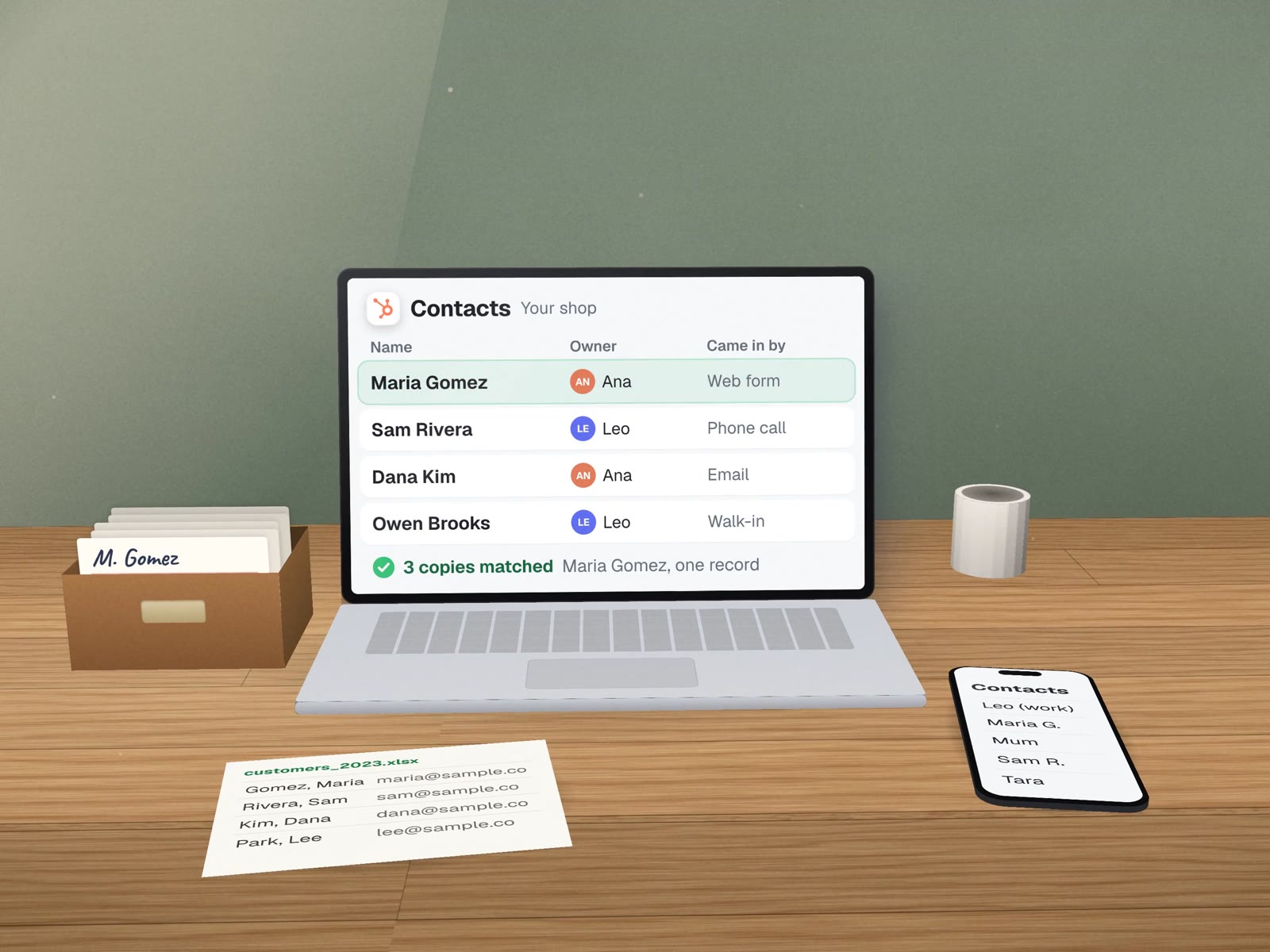
Set up once, in your words, for the people who use it.
Six things are in place when we hand it over.
 HubSpot
 Google Sheets
One account in your name
The CRM you already pay for, or one we recommend in writing with the reasons.
Your lists imported
From phones, spreadsheets and inboxes, matched so each customer appears once.
A short customer record
The fields your team needs and nothing else.
Every way in connected
Web forms, email and calls land on a record with an owner.
Saved views
Who to call today, which quotes are waiting, who has gone quiet.
A one-page guide
And an hour of hands-on training with the people who will use it.
Do you need a CRM yet?
Not every business does. This is the table we walk through on the first call.
| If this sounds like you | What usually fits | Why |
|---|---|---|
| One or two people, a few new customers a week | A shared inbox and a tidy Google Sheet | Nothing needs to happen automatically yet. A CRM would be one more login. |
| Leads come from three or more places and some get lost | A CRM with every way in connected | The problem is ownership. One list with a name on each lead fixes most of it. |
| You quote, follow up and win or lose work | A CRM with a pipeline | You need to see what is waiting on whom, and why deals were lost. |
| Customers reorder on a rhythm (supplies, services, refills) | A CRM fed by your order history | The record should show when someone last bought, so a quiet spell is visible. |
| You already pay for one and the team avoids it | Fix the one you have | It is rarely the software. It is usually too many fields and no clear owner. |
The record your team actually sees.
- Main phone
- (555) 010-0142
- Came in by
- Web form
- Last job
- Water heater install
- Last contact
- 9 days ago, call
- Stage
- Quote sent
- Language
- Spanish
- One owner, always.A record without an owner is a record nobody calls back.
- "Came in by" is filled automatically.Forms, calls and emails stamp their own source, so you learn which channel brings work.
- A next step with a date.The daily view is built from this one field.
- Six fields, not sixty.We add a field only when it answers a question you ask every week.
One channel at a time.
Sit with whoever answers the phone
We write down how a customer really moves from first call to paid, in your words.
Import into a test copy
Your lists go into a sandbox first, so you can check matches before anything is live.
Connect one way in
Usually the web form or missed calls. The team works from the CRM for a week.
Fix what got in the way, then widen
Fields nobody used come out. The next channel goes in.
Businesses that sell more than once.
- Home servicesJobs, addresses and service history on one record.
- Professional firmsReferrals tracked to the person who sent them.
- Suppliers and labsAccounts that order every few weeks, with the last order visible.
- Studios and salonsRegulars, memberships and the visit they missed.
A lab that already had the software.

Carlos Ceramics Dental Lab already paid for GoHighLevel. The account was fine; it just did not know the lab's history. Instead of a new CRM, we loaded 324 practices into the account it had, matched by phone number, with a log line for every field we wrote. How that sync works.
What it won't do.
- No card numbers or health details.Those stay in the systems built for them.
- No messages on its own.Automatic messages are ones you wrote and approved.
- No deciding who owns a lead.You set the rule; the CRM follows it.
About setting one up.
How many fields should a customer record have?
As few as your team will actually fill in. We start from the questions you ask about a customer every week and add a field only when it answers one of them.
Whose name is the CRM account in?
Yours. The account, the data and the billing stay with your business. We work through our own user, which you can switch off the day we finish.
Can a Google Sheet be our CRM?
For a very small team, sometimes yes. If one or two people handle a few new customers a week and nothing needs to happen automatically, a well-built sheet can be the right answer, and we will say so.
After setup
The services that usually come next.
Sales pipeline design
Stages with exit rules, so "quote sent" means the same thing to everyone.
Speed to lead
What happens in the first minutes after a call is missed.
CRM admin & care
A monthly check so the record stays trustworthy.
A CRM sync with an audit trail
324 practices written in, zero values overwritten.
Five signs you've outgrown spreadsheets
When a sheet stops being enough.
Bring your messiest list. We'll tell you what it needs.
A free first call, and a written recommendation even if the answer is "keep the sheet".