"Where's my order?" answered before they call.
A portal gives each customer one login for their own orders, files and invoices, and gives partners a proper way to send work in. We build it on your existing records, check every sign-up against your real customer list, and keep payments with a hosted checkout.
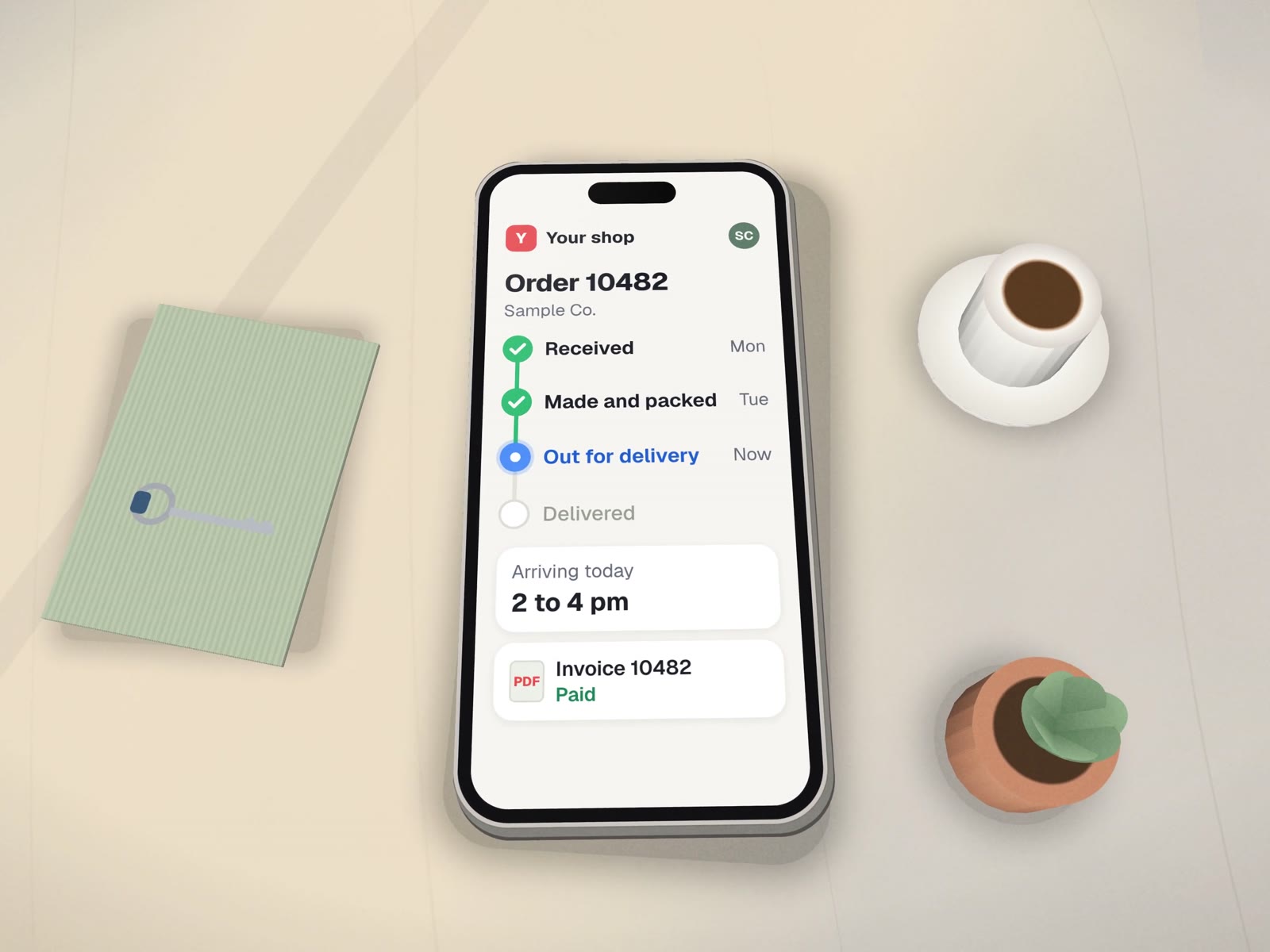
Order 10482
2 items · placed Monday · sample data
Roles you decide, written down before we build.
| Role | Sees | Can do | Never sees |
|---|---|---|---|
| Customer | Their own orders, files, invoices and messages | Upload files, approve proofs, pay through hosted checkout, reorder | Anyone else's account; your internal notes |
| Partner or referrer | Work they sent in, and its status | Submit new work with the required details | Your prices to other partners |
| Your staff | Accounts they look after | Approve sign-ups, change status, post messages | Settings reserved for the owner |
| Owner | Everything, plus the change log | Change roles and what customers can see | Card numbers, which stay with the payment provider |
Sign-up that checks who people are.
The weakest point of most portals is the front door. This is the flow we use.
One login per customer, everything about their work behind it.
- A status page per order or jobFed by the tracker or system you already use.
- Files both waysArtwork, proofs, reports, signed forms.
- Invoices and statementsWith a pay link through a hosted checkout such as Stripe.
- Verified sign-upWith a staff approval queue for anyone who does not match.
- Messages on the orderSo the conversation stays with the work.
- Your domain and brandingRunning in your accounts.

How we'd build it
We have not launched a client portal yet. A sign-up portal for dentists, with exactly this kind of verification, was being scoped for a dental lab, and Conception Design, the sign and print shop whose quote builder we built, has order tracking as its named next step.
The parts are ones we have built before: a custom WordPress theme and site plugin for the same lab's new site, launching soon, and a WordPress store plugin with Stripe hosted checkout for a dental supply seller, launching once payments are set up.
 WordPress
 Stripe
Where it fits
- Print and sign shopsProofs, approvals and pickup status.
- Dental labsPractices following their cases.
- Accountants and firmsDocuments in, reports out.
- Property managersOwners and tenants seeing requests.
About portals.

How do you stop strangers from signing up?
New sign-ups are checked against your existing customer list, and anything that does not match waits for a person on your team to approve. Nobody sees an order until their account is linked to it.
Can it live on our existing website?
Often yes. If your site runs on WordPress, a portal can be a plugin inside it, under your own domain and branding. Otherwise it can be a small separate app at a subdomain such as portal.yourbusiness.com.
Will customers stop calling?
Some will keep calling, and that is fine. The aim is that the routine questions, like where an order is or where an invoice went, can be answered without anyone picking up the phone.
Behind the portal
What feeds the status page.
How many status calls did you take this week? Let's give them a page.
A free call to decide what customers should see, and what stays inside.