Books that check themselves every morning.
Many small businesses run their money on a spreadsheet nobody fully trusts. We build a Google Sheets workbook with Apps Script behind it: entries booked through one door, duplicates refused, receipts filed, checks run daily, and a calendar of what is due. It is what we run our own company's books on.
 Google SheetsApps Script
 Gmail
Gmail Google Drive
 Google Calendar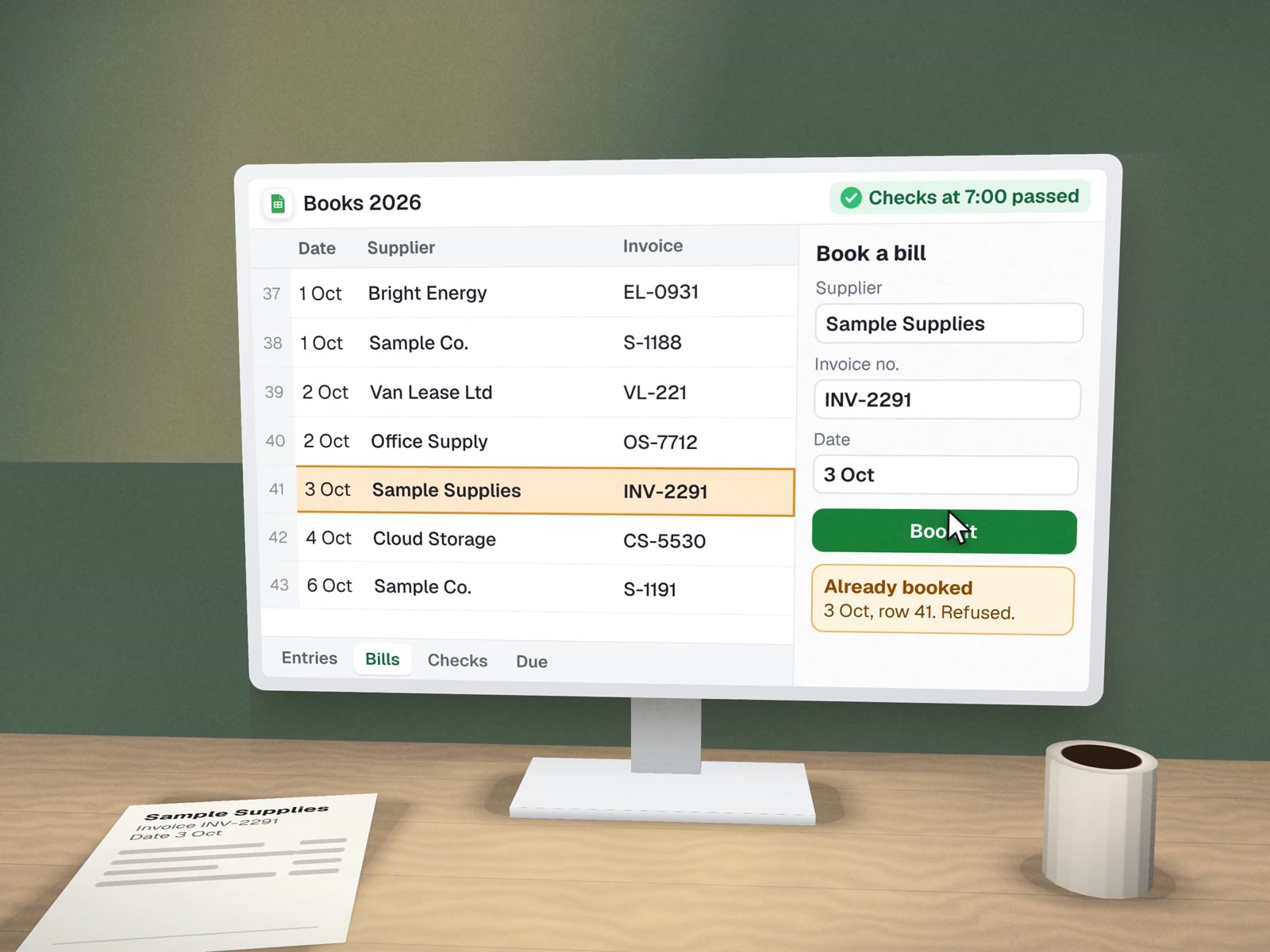
The tab map.
Each tab has one job. Entries go in at one place; everything else is calculated from them. This is the layout of our own workbook, with no figures.
A day in the workbook.
What is due this week and next is written to a shared calendar from the workbook.
Subscriptions and recurring bills appear as "Expected" before they hit, so nothing is a surprise.
Threads from clients and vendors get labels; attachments are copied into the right Drive folder.
The dashboard's checks block shows green or red. Red means look before you trust a total.
The same bill cannot be booked twice.
Every entry goes through one booking step that looks for a match first. This is what the owner sees when they try. Sample entry.
We tested the refusal on purpose before the workbook went live, because a doubled entry is the kind of error that hides for months. The same rule protects the shipping labels at the dental lab: look up first, then act.
A workbook that knows when not to be trusted.
- A workbook in your Google accountTabs designed around how your business earns and spends.
- A booking step that refuses duplicatesAnd calculated tabs that are protected from edits.
- Daily jobsExpected rows, mail filing and the calendar, run on their own.
- A checks blockIt tells you when not to trust a number.
- A reconcile stepAgainst your bank and card statements.
- A short guideFor you and your bookkeeper.
Before you need an accounting system.

- Small firmsA handful of clients on retainers.
- Young companiesClean records before they need an accounting system.
- NonprofitsTracking grants and recurring costs.
- Seasonal businessesSeeing what is coming due.
What it won't do.

- No tax filing or tax advice.That is your accountant's job, and the workbook makes it easier.
- No moving money.It records and checks; payments happen in your bank.
- No hiding a problem.If the checks are red, the dashboard says so first.
About finance workbooks.
Does this replace QuickBooks or our accountant?
No. It gives you a clear daily view and clean records to hand over. If you already use accounting software, the workbook can sit beside it for the questions it answers badly. Your accountant still files, advises and signs off.
Why Google Sheets and not an app?
Because owners and bookkeepers already know how to read a sheet, it lives in your own Google account, and Apps Script can run checks and jobs on a schedule at no extra cost. When it outgrows a sheet, the data moves cleanly.
What stops someone from breaking the formulas?
Entries go through a booking step rather than being typed into the calculated tabs, those tabs are protected, and a checks block on the dashboard turns red if totals stop agreeing with each other.
More on money and operations
Related builds and services.
Not sure your numbers add up? Make the sheet tell you.
A free call to look at how you track money today. No figures needed.